We measures the end-to-end latency of different guitar amp simulations of a Marshall JCM800, with two sound cards: an Apogee Jam sound card, and a presonus 44VSL sound card.
The Apogee Jam is just an input device. The output signal goes through the Mac Book Pro internal sound card, and has a slighty higher latency that sound card that act both as an input an as an output device

The Presonus 44VSL sound card has got a good reputation as a low latency device


The mediadevices API, by default, adds noise and echo cancellation filters, and set an option that hurts latency a lot: the automatic gain asjustment. As these options are useful for video conferencing, they are not suite at all for real time audio processing, and they must be desactivated.
We use the following code for setting the correct options (tested with Chrome and Firefox):
var constraints = {
    audio: {
        mandatory: {echoCancellation: false}
    }
};
Paul Adenot from Mozilla said that this is not enough for Firefox, and that this triplet of options should be used instead:
	echoCancellation: false
    mozNoiseSuppression: false
    mozAutoGainControl: false
TODO: test this again! . We tried these a while ago, and in version 55 of Firefox Nightly, we can confirm that the AutoGainControl is set to false by default, at least once we set echoCancellation to false. More investigations required here.
The WebAudio amp sim has been tested on a clean computer (no applications running exept a Web Browser), and with no other Web applications running (no other tabs opened).
As WebAudio today does not allow to set the size of the audio buffer, we used the confirmed default size of 256 samples double buffered on Google Chrome/Mac OSX (the Chrome dev edition provides the ctx.baseLatency property that confirmed a latency of 11ms: 2*256/44100). We do not know the size of the audio buffer with Firefox Nightly v55 but we suppose it has the same value of 512 samples (or 256 double buffered), or maybe of 1024 samples, as the measured latencies are bigger than the ones measured with Google Chrome, see further in this document. It has been confirmed by Paul Adenot that the size of the buffer depends on the sound card used. Paul investigates to see what's happening when we hot plug a new soundcard while FF is running (and without restarting it).
With a browser with > 20 tabs opened, including a video game that used requestAnimationFrame and animation at 60 frames/s, Google Chrome showed latency 20% higher, while Firefox Nightly jumped from 35ms up to 52ms. It's important to have a clean configuration!
Below: Guitar Rig (Native Instruments) as a plugin in GarageBand (blind test):

Below: The Vintage British Stack plugin (a JCM800 replica) that comes bundled with GarageBand (blind test):

We measured the guitar to speaker latency, using a Panasonic WM61A electret microphone taped on the guitar body, next to the high E string , and a jack plugged at the output from the sound cards. We joined them using a Y wire plugged into a Sony PCM-M10 digital recorder at 96kHz/24bit
The Sony digital recorder, with a Y cable: left = input signal (guitar), right = output signal from speakers/output of the sound card.

A sort of Piezo microphone taped on the guitar body records the source signal (guitar) and send it to the left channel of the sony digital recorder

In Green, the headphone output of the Presonus is goes to the right channel of the Sony digital recorder

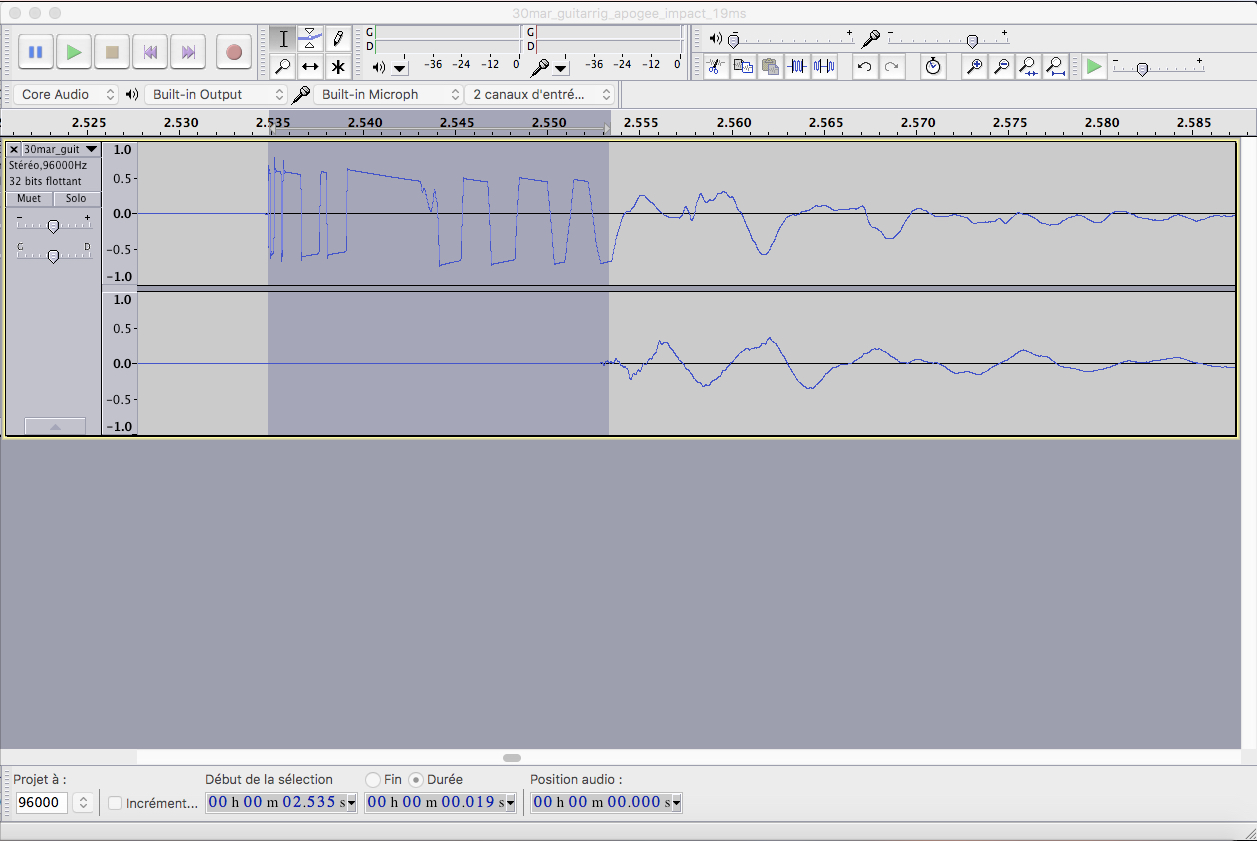
We then hit several times the guitar body with a metallic pod, and recorded the result while going through different sound card and amp simulations (with settings that did not alter too much the signal). We then measured visually the latency in Audacity after we loaded the wav files we just recorded. Zomming in and using the mouse to select the beginning of the dirac in the input signal (left channel) and ending when the signal starts on the output channel gives a rather good approximation of the latency. However, we confirmed these measures using a Matlab script of our own that analyses the different Dirac shaped impulses to compute max/min and mean value of the latency as well as estimations of the group delay.
While we could not adjust the size of the audio buffer, we compared with two other devices: 1) a Linux/Jack audio based effect pedal that can host LV2 plugins (an open source standard for audio plugins), that comes with a standard 128 sample audio buffer size, and that is given for a base latency of 9ms, and 2) A Yamaha THR10 guitar amp (that uses digital modelization and a powerful DSP + some analogic circuitry, and very good -not neutral, rather colored- speakers). The measured latency of the Yamaha THR10 was under 1ms!
Web site: Officiel Mod Duo pedal Web site.

Example of GUI (the long rack plugins is Guitarix):

This small Amp has a very good reputation. It uses modelization and certainly some analogic parts. The sound is really good for such a light and small (but expensive) device.
The latency of the Mod Duo pedal, of course, depends on the pedalboard that has been assembled using its GUI. We choosed to plug in series the Guitarix JCM800 plugins and the Guitarix cabinet simulator with a matched speaker impulse. The latency has been measuresd with a value of 21ms. Guitarix on this config is known to add latency.
Audacity screenshot with latency value:

Audacity screenshot with latency value:TODO
Audacity screenshot with latency value:
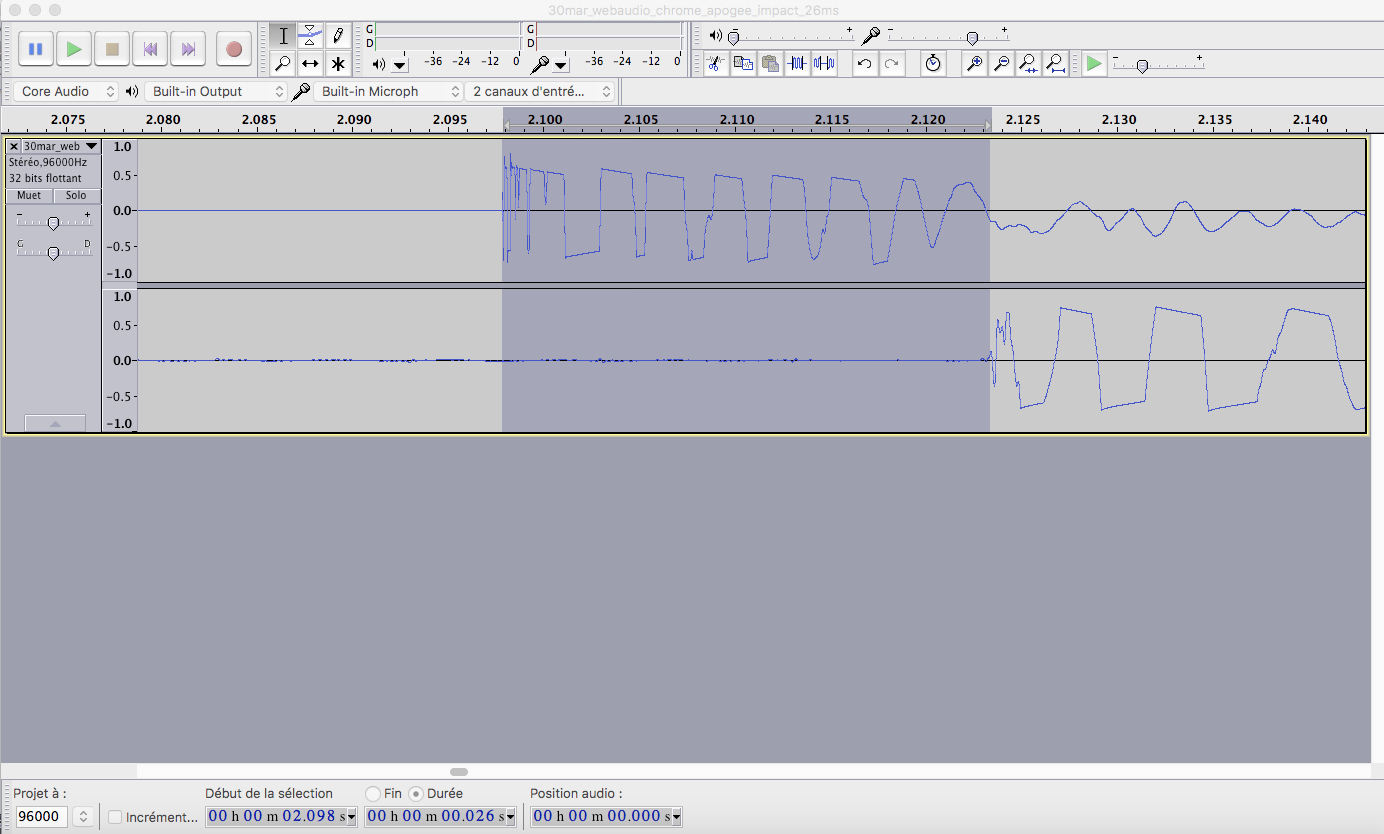
Audacity screenshot with latency value:
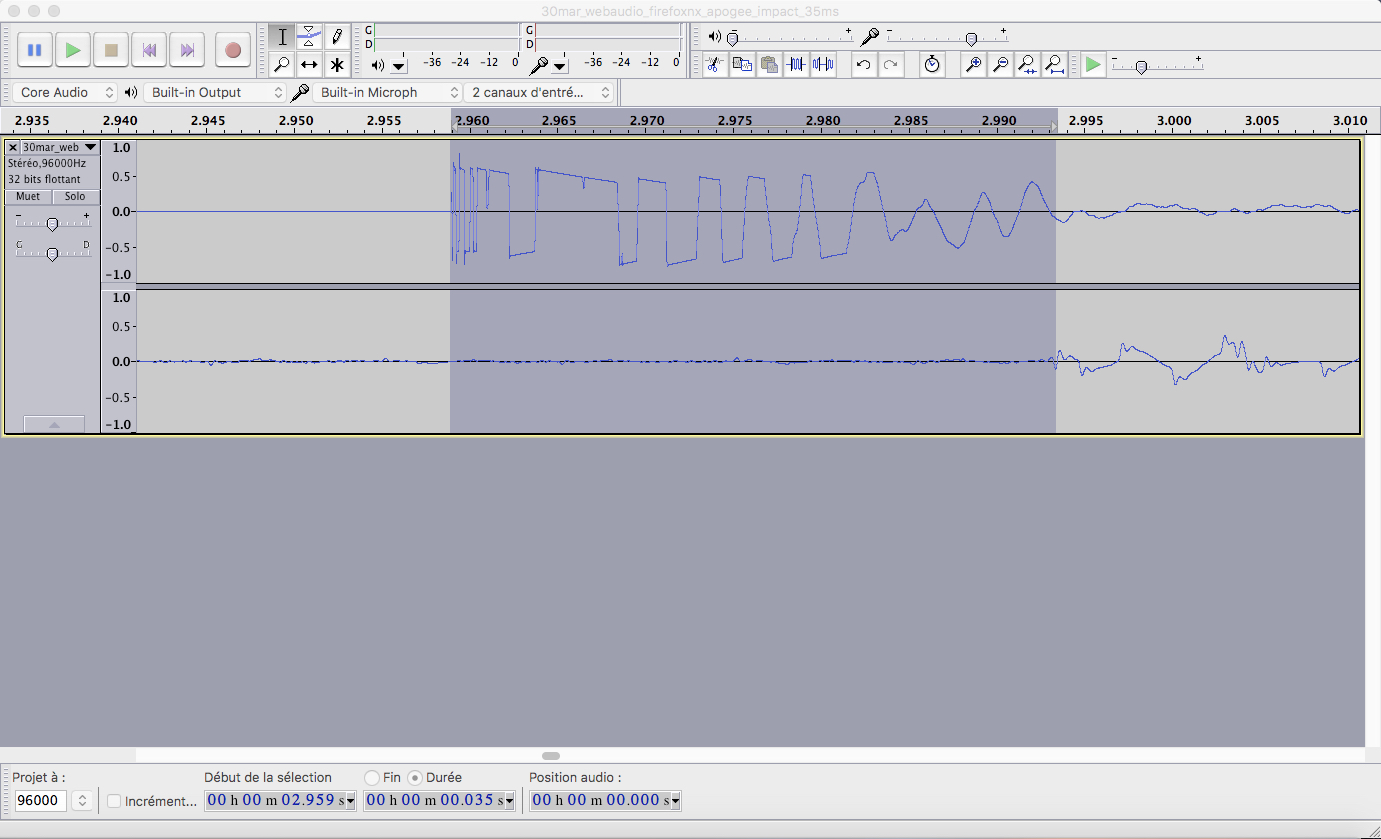
Audacity screenshot with latency value:
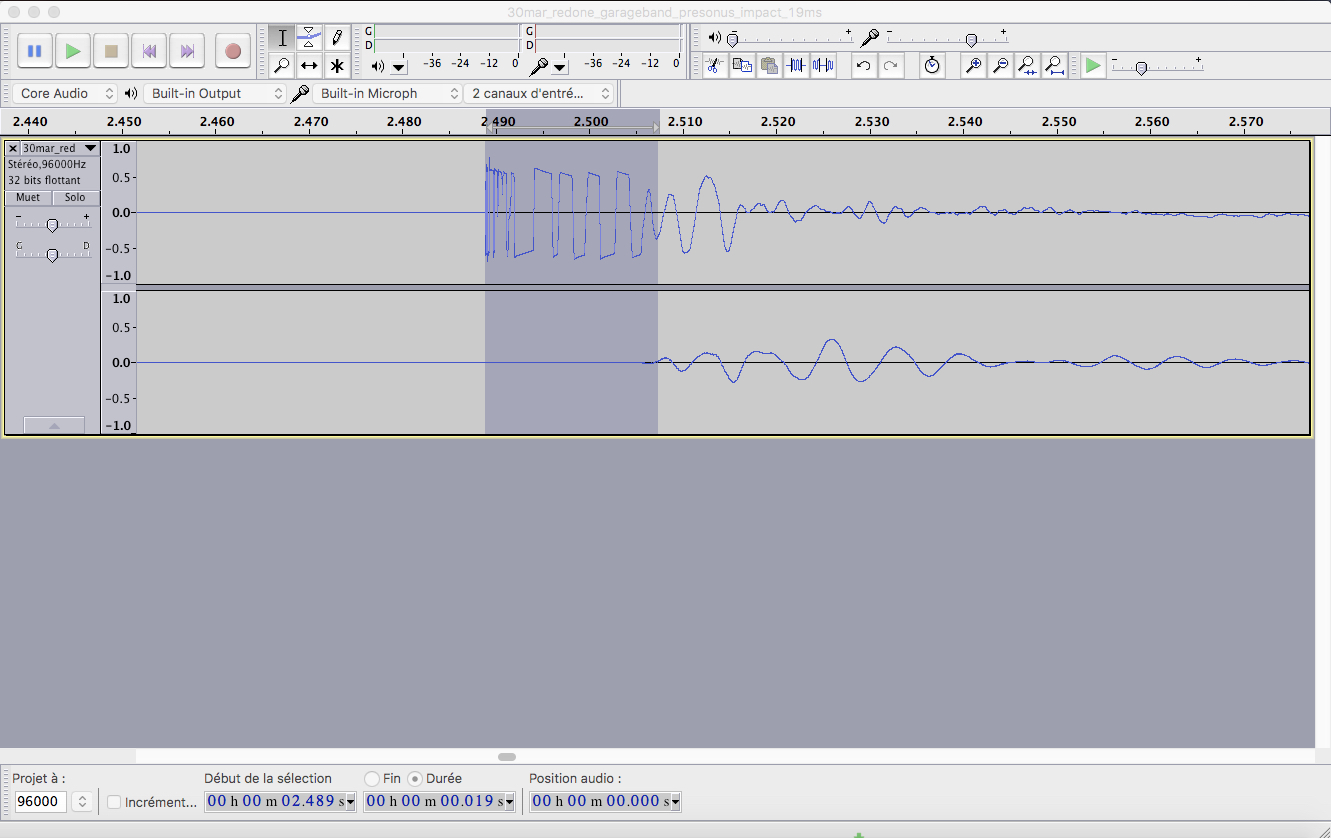
Audacity screenshot with latency value:
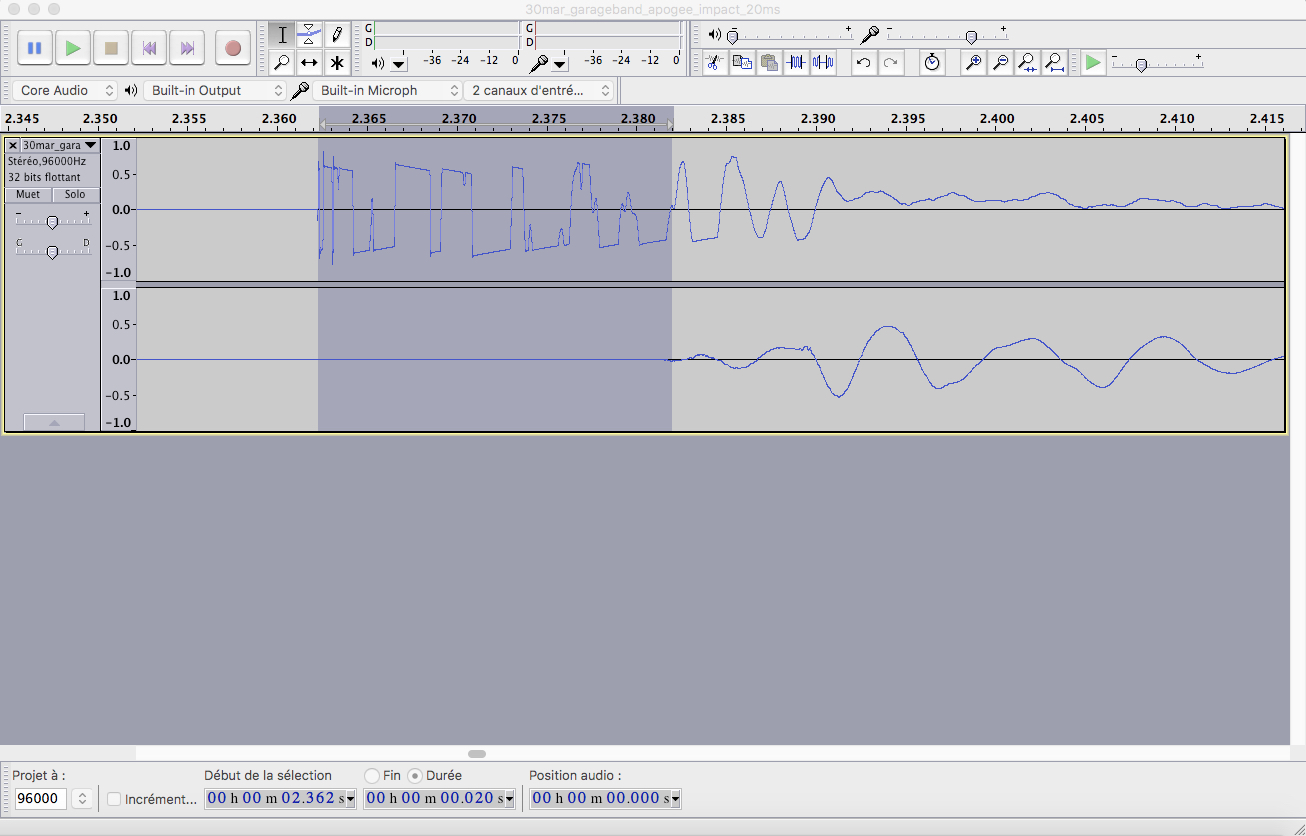
Audacity screenshot with latency value:

Audacity screenshot with latency value: